
Create an account
The Met Office Aeronautical Visualisation® Service (MAVIS®) is a web application that provides a tool for aviation users to visualise weather data. You may need to create a new account to access MAVIS.
To create an account, follow these steps:
Register for an account
Navigate to MAVIS
Go to the MAVIS login page.
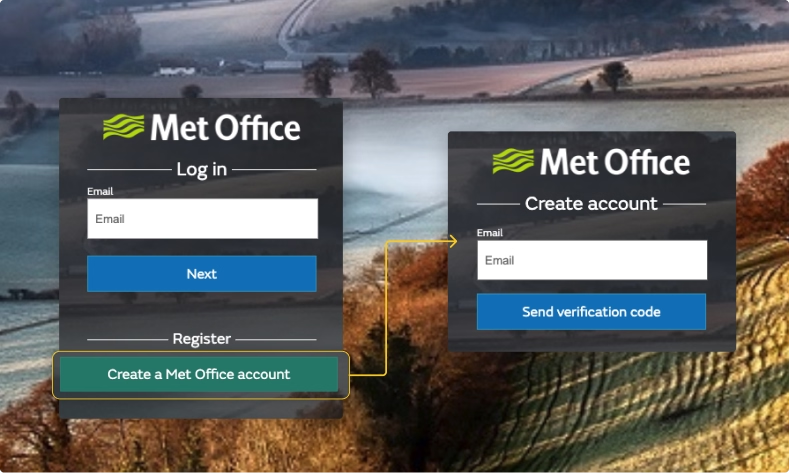
You will be taken to the Login page where you can click on the 'Create an account' link.
Register your details
Click on the 'Create an account' link to be taken to the registration page.
Enter your email address and click "Send verification code".
Verify your email address
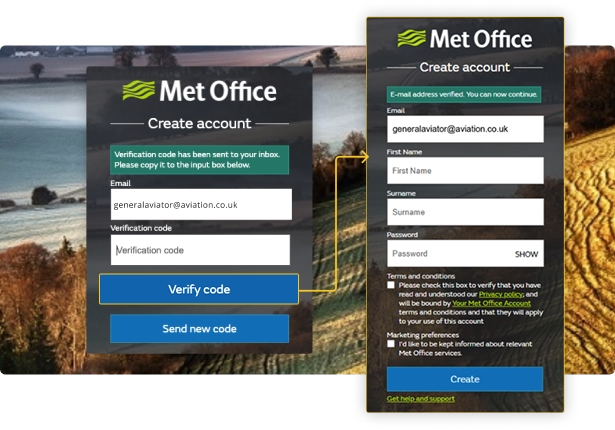
Once you hve clicked "Send verification code", you should receive an email with a unique code. This can sometimes take a couple of minutes.
If you do not receive the email, please confirm you have entered your email address correctly.
Enter the verification code you received in the email into the 'Verification code' field on the registration page.
Complete your registration
Enter your first name, last name and create a password for your account.
Before clicking "create", please ensure you have read and accepted the Terms and Conditions and Privacy Policy. These terms apply to the conditions of your Met Office account.
Click "Create" to complete your registration.
Login to MAVIS
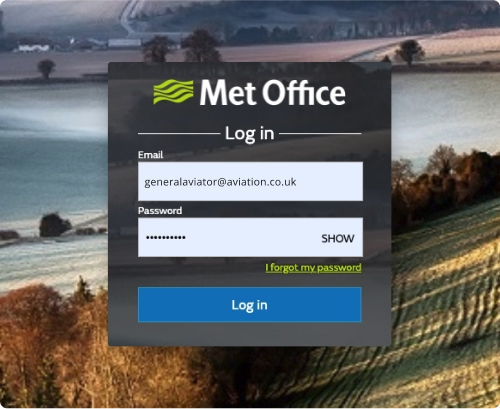
You will be taken back to the login page.
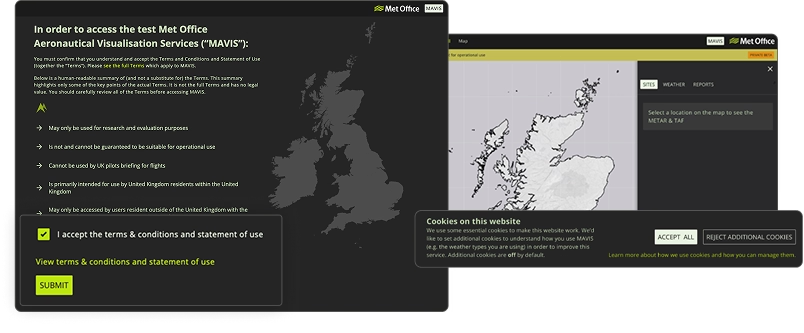
On first login, you will be prompted to accept further Terms and Conditions. These terms apply specifically to the use of MAVIS.
You can read these terms in advance on the MAVIS Terms and Conditions Page
Accept Cookies
Cookies are files saved on your phone, tablet or computer when you visit a website. MAVIS uses some essential cookies to make the site work correctly.
To help us understand how you use MAVIS and improve your experience of the site, we would like to set some additional cookies, this includes cookies for analytics. This information helps us understand what weather data and features are most useful to you.
These cookies are optional, and you can choose to accept or reject them.
When you first log in, you will be prompted to set your preferences for additional cookies.
Need help?
If you need further help in creating an account please feel free to contact our weather desk by emailing enquiries@metoffice.gov.uk or calling 0370 900 0100 (UK) or +44 330 135 0000 (International).