
Thresholds
The red, amber, green colouration on the site markers and the highlighted text within the METARs is dictated by the default thresholds set in MAVIS. These thresholds can be viewed by navigating to the settings page and selecting the “Weather Thresholds” option.
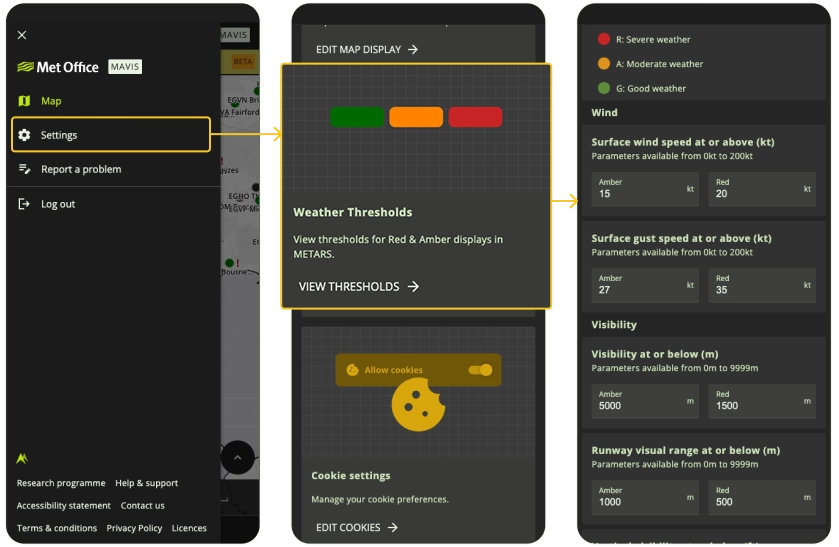
The default RAG thresholds can be found in this menu and are intended to give a general overview of current weather conditions based on the METAR. These thresholds will not be appropriate for everyone, and you should read the METAR & TAF carefully to make appropriate flight decisions for your operations.
Currently, this page is ‘read only’. Custom RAG thresholds for both METARs and TAFs is coming soon.
To find out more about how to interpret the METARs and TAFs in MAVIS, please see our guide on decoding METARs and guide on decoding TAFs.